


CBS Sports: Live Scores & News
4.536.93K Reviews
App Specs
- Version
- 10.74.1
- Updated On
- License
- Free
- Downloads
- 10,000,000+
- Developer
- CBS Interactive, Inc.
- Categories
- Sports
- Platform
- Android, iOS
Screenshots
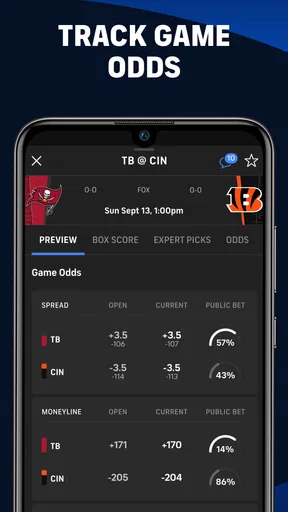
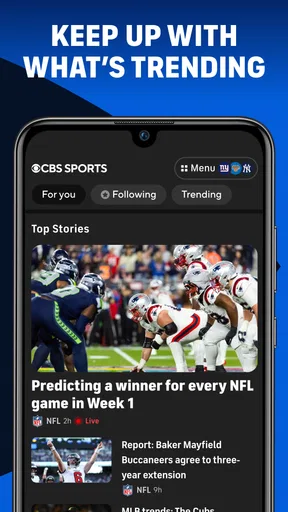
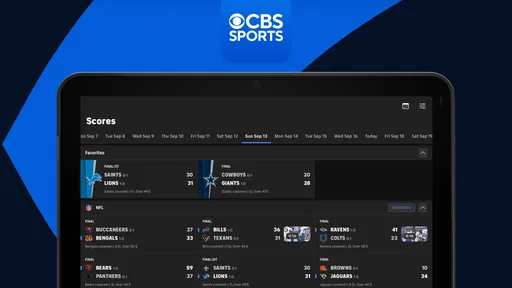
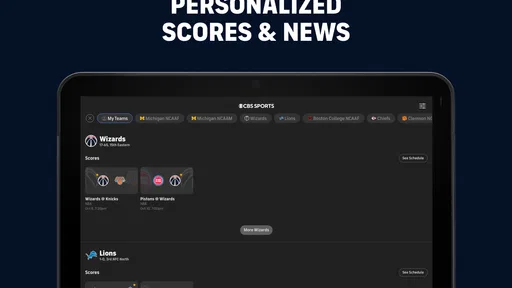
 Analysis by AppCompare
For keeping up with scores, headlines, and sports coverage without jumping between several apps, I can see the appeal of CBS Sports. I find it most useful as a quick check-in: I can follow a game while doing something else, then spend a little longer with news or analysis when I have time. It is a free sports app from CBS Interactive, Inc., and its mix of live information and editorial content gives it a broader feel than a scoreboard alone. The main thing to consider is whether that breadth suits the way you follow sports, or whether you would rather use a narrower app built around one league or team.
Where the experience can snag
A sports app can feel straightforward until it has to answer a specific question: Is this the right game? Is the score current? Why am I seeing news about a sport I rarely follow? In my experience, the best way to avoid that kind of friction is to decide early whether I want broad coverage or a focused feed. If I follow several leagues, having them together is convenient; if I care about just one team, all that extra material can make the app feel busier than necessary.
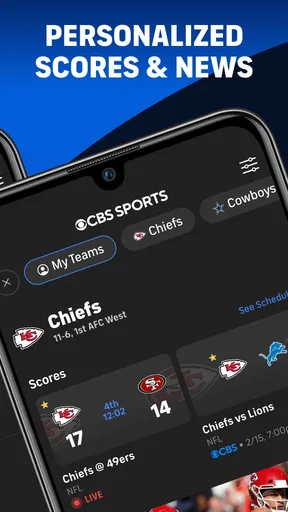
Personalizing what I follow also takes a little thought. Choosing teams and sports is more useful than turning on every alert and trying to sort it out later. I would start with the teams I genuinely check, then add more only if I miss something. That small setup choice can make notifications feel like useful reminders rather than a second stream of noise competing with messages and other alerts.
It is also worth separating three different reasons to open the app. I might want a score, a quick news update, or a longer video or audio segment. Those needs call for different amounts of attention. A score check is a short interruption; an interview or show is something I would save for a break. Thinking that way helps me use the range of content without expecting every screen to serve the same purpose.
Setup checks that make following easier
When I first start using a sports app, I make a short list of teams and competitions I care about rather than trying to personalize everything at once. With CBS Sports, I would use that list to shape the alerts and the stories I look for. The practical benefit is not just seeing more relevant items; it is making it easier to notice what matters when a busy slate of games fills the feed.
If an alert does not appear, I would check the basics before assuming the app is broken: confirm that the team or sport is among the ones I chose, look at the device’s notification settings, and make sure the phone is not in a mode that silences alerts. I would also open the app and check the game directly. Notifications are convenient prompts, but they are not a substitute for looking at the score when timing really matters.
For someone choosing between the free app and optional purchases, the useful question is what they expect to do regularly. The app itself is free, while in-app purchases are listed at prices ranging from $4.99 to $99.99 per item. I would not assume a purchase is necessary just to check scores or read the available coverage; instead, I would review the purchase details in the app and decide whether the specific extra is worth paying for. That keeps a casual sports habit from turning into an unplanned expense.
Worth Reading Before You Choose

EA SPORTS FC Mobile 26 Is a Bigger Football Game, but It Takes Time

Flipboard Shows What News Apps Must Do Beyond the Feed

Switching to Android Auto Means Rethinking Your Driving Routine

Google Calendar Makes a Crowded Week Easier to Manage

Ludo King Makes the Most of the Minutes Between Plans

Baby Panda World Brings Quick Play to Modern Phones, but Its Game Library Feels Busy
Recovering a disrupted game-day routine
Suppose I am on a bus and want to check a close game during a short stop. If the screen seems behind, I would first give the connection a moment, then revisit the game page rather than repeatedly tapping around. A weak or changing connection can interrupt any live information service, and repeatedly switching sections may make it harder to tell whether the issue is the feed or the network.
If the app becomes unresponsive, I would close and reopen it, then check whether other apps can connect. If they cannot, I would troubleshoot the connection before blaming the sports coverage. If the rest of the phone works normally, restarting the app is a sensible next step; checking for an available update is also reasonable when problems continue. The current version is 10.70, and the minimum operating-system requirement is version 9, so an older device may need an OS check before installation or troubleshooting.
For a game I cannot watch, I would use the app in two passes: first check the score and key stats, then return for a recap or related coverage when I have time. That is a more reliable routine than trying to follow every change through alerts alone. It also makes the app useful during work breaks or travel without turning a quick glance into a long scroll.
When the app may not be the cause
Not every missing update points to an app problem. Live scores depend on a working connection, and a phone that has lost signal or is switching networks can leave a page temporarily stale. I would check another site or app only as a comparison, not because one source is automatically right. If several services are slow at once, the connection is the likelier place to start.
There is a similar distinction with video and audio. A score page and a media stream are different kinds of use: a stream needs a steadier connection and more time, while a headline or score can be checked quickly. If a video struggles, I would test the connection and try again later rather than conclude that the app’s entire sports experience is failing.
Finally, editorial coverage is not the same thing as an official team announcement or a live play-by-play feed. I use articles and commentary for context, then check the relevant game information when I need the current state of play. That habit is useful in any sports app, especially when a headline prompts a question that only the score or a team update can answer.
The app is rated for Everyone, which makes it broadly accessible, though families should still make their own choices about media and in-app purchases. Its 4.6 average rating, based on around 246,000 ratings, and more than 10 million installs suggest that many people use it, but those numbers cannot tell me whether its coverage matches an individual fan’s interests. I would judge it by how well my own teams and preferred sports fit into the experience.
Making the app work for your kind of fandom
I find the best way to get value from a broad sports app is to decide what I want it to do before opening it: keep me current, help me discover a story, or give me something to watch or listen to. That small choice makes it easier to avoid scrolling when I only have a moment. From there, I can judge whether its wide-ranging coverage fits my fandom or whether a more focused option would serve me better.
Coverage, context, and alternatives
One strength of a broad sports app is that it gives me a place to look when my interests shift from one season or competition to another. The coverage spans major professional leagues, college sports, golf, and soccer, so I do not have to rebuild my routine every time I want to check a different sport. That range is handy for a household where people follow different teams, or for a fan who likes checking more than one league.
The trade-off is focus. A league-specific app may be a better choice if I want a deeper team-centered experience or spend nearly all my time following one competition. A general scores app can be better when I want to compare several games quickly, while a dedicated news source may suit someone who mainly wants reporting and little else. I see CBS Sports as a middle ground: scores and news live alongside video, podcasts, and analysis, rather than being limited to one format.
A practical way to keep that breadth useful is to treat the app as a hub, not the final authority on every detail. I can start with its score or a headline, then seek out a specific source if I need a more specialized explanation. That is especially helpful when following a sport I know less well: broad coverage helps me discover what is happening, while a focused source can fill in the finer points.
A realistic day with scores and stories
Imagine I have a busy afternoon and a game I care about starts while I am away from a television. Beforehand, I choose the team so I can check in without searching through unrelated coverage. During a break, I open the score and stats; later, once I have more time, I read an analysis piece or catch a highlight. The app’s combination of quick updates and longer-form material supports that sort of split attention better than a news-only app would.
There is a useful limit to that routine: I would not depend on a notification as my only signal for a close finish. Alerts can help me remember to check, but a direct visit to the game page is the better habit when I want to see the current score. And if I am trying to avoid spoilers, I would be careful about opening a broad feed before I am ready; headlines about other games can reveal results I did not intend to see.
For fantasy players, checking stats and news in one place can help with quick context, but I would not treat a general sports app as a replacement for a dedicated fantasy-management tool. Its value is in keeping me informed about games and coverage. Roster decisions and league-specific tracking are better handled in the service designed around those tasks.
Who will enjoy it—and who may prefer something else
I would recommend it to someone who follows several sports, likes a mix of scores and reporting, and wants podcasts or video within the same app. It also makes sense for a casual fan who wants to check what happened without subscribing to a collection of single-purpose apps. Since it is free to download, it is easy to try as a general source, while optional purchases are a separate consideration.
I would steer a single-team devotee toward a more specialized alternative if they find broad feeds distracting or need a deeply focused team experience. Someone who only wants instant scores may also prefer a simpler scoreboard, because articles and media are valuable only if they will actually use them. And anyone who dislikes notifications should take a moment to choose what they follow rather than allowing a large mix of alerts to dictate their attention.
There is a learning curve, but it is mostly about setting expectations: use the app for a quick score when that is all you need, and save its analysis and media for when you have time. That distinction helps prevent a common frustration with all-in-one sports apps—opening them for one small answer and getting pulled into far more content than planned.
Why it earns a place on my phone
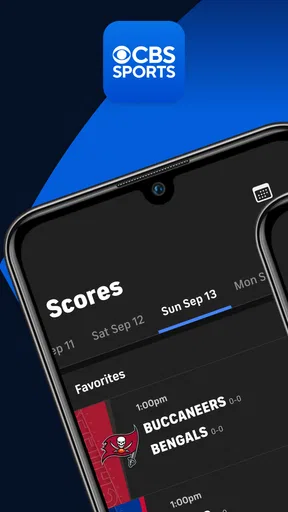
From the moment I launched the CBS Sports App, I was greeted with a clean and intuitive interface. It’s like the app knows exactly what you’re looking for. No messy layouts or overwhelming menus here. Just straightforward navigation that makes finding scores, schedules, and news a breeze.
Features That Stand Out
One of the first things I noticed was the comprehensive coverage. You’ve got your NFL, NBA, MLB, NHL, college sports, and even niche interests like golf and soccer all in one place. It's like having a sports bar in your pocket. The app allows you to customize your experience, so you get alerts for just the teams and sports you care about. No more sifting through endless notifications about sports you’re not interested in.
And let me tell you, the real-time updates are a game-changer. Whether you're tracking your fantasy team or just keeping tabs on your favorite squad, the app delivers live scores and stats faster than you can say "touchdown!"
News and Insights
But it’s not just about scores. The app also offers a wealth of news, analysis, and commentary from CBS Sports’ top-notch team of writers and analysts. From breaking news to deep dives into player performances, it’s all there. I found myself getting lost in articles that offered some pretty insightful takes on upcoming games and player trades.
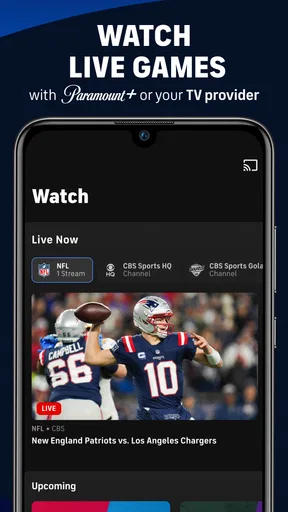
If you’re into podcasts or video content, you’re in luck. The app features a range of multimedia content, including popular shows like "The Jim Rome Show" and "Fantasy Football Today." You can catch up on episodes or watch game highlights all from the same platform.
Usability and Performance
The CBS Sports App performs like a champ. It’s quick, responsive, and I didn’t encounter any lag or crashes even during peak game times. Everything loads smoothly, which is crucial when you’re trying to catch up on the action. The app also runs well on both Android and iOS, so no matter what device you’re using, you’ll get the same stellar experience.
Why It's Worth Downloading
If you’re a sports junkie like me, the CBS Sports App: Scores & News is a no-brainer. It consolidates everything you need into one convenient app, saving you the hassle of switching between multiple platforms. Whether you’re checking scores on the go or lounging at home with some pre-game analysis, this app’s got you covered.
In a world where information overload is the norm, it’s refreshing to have an app that delivers exactly what you need without bombarding you with extras. So go ahead and give it a shot. You might find yourself wondering how you ever managed without it.
In conclusion, the CBS Sports App is a must-have for any sports enthusiast. It’s efficient, user-friendly, and packed with all the features you could ever want to stay updated on your favorite sports. So, what are you waiting for? Head over to your app store and check it out for yourself!
Pros
- User-friendly interface enhances navigation.
- Real-time score updates are highly accurate.
- Comprehensive coverage of various sports.
- Customizable notifications keep you updated.
- Live streaming feature for select events.
Cons
- Occasional ads can disrupt experience.
- Some features require a subscription.
- Limited coverage for niche sports.
- App can be slow during peak times.
- In-app purchases can be pricey.
FAQs for CBS Sports: Live Scores & News
What features does the CBS Sports App offer?
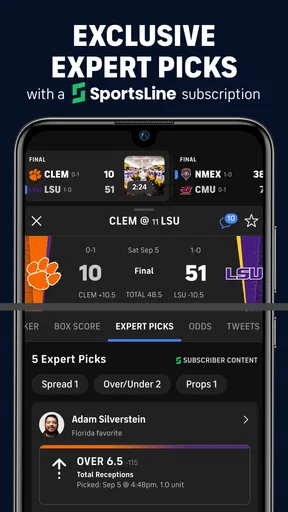
The CBS Sports App provides a comprehensive sports experience with live scores, news, and analysis for a variety of sports including NFL, NBA, MLB, NHL, and college sports. Users can access live streaming of CBS Sports events, personalized score alerts, and expert analysis to stay updated with the latest in sports.
Is the CBS Sports App free to use?
Yes, the CBS Sports App is free to download and use. However, some features, such as certain live streaming events, may require a subscription or cable provider login. The app offers in-app purchases for enhanced experiences, but the core features like scores and news are accessible for free.
Can I customize notifications in the CBS Sports App?
Absolutely, the CBS Sports App allows users to customize notifications based on their favorite teams and sports. You can set alerts for game start times, score updates, and breaking news. This feature ensures you never miss important updates about your favorite sports and teams.
Does the CBS Sports App support multiple devices?
Yes, the CBS Sports App supports multiple devices and platforms. It is available for both Android and iOS, and you can sync your preferences and settings across devices. This makes it easy to access your personalized sports content whether you're on your phone or tablet.
How does the CBS Sports App enhance my sports viewing experience?
The CBS Sports App enhances your viewing experience by providing in-depth analysis, expert commentary, and live streaming of major sports events. The app's user-friendly interface and real-time updates ensure you have all the necessary information at your fingertips, making sports more engaging and immersive.


